

مقدمة
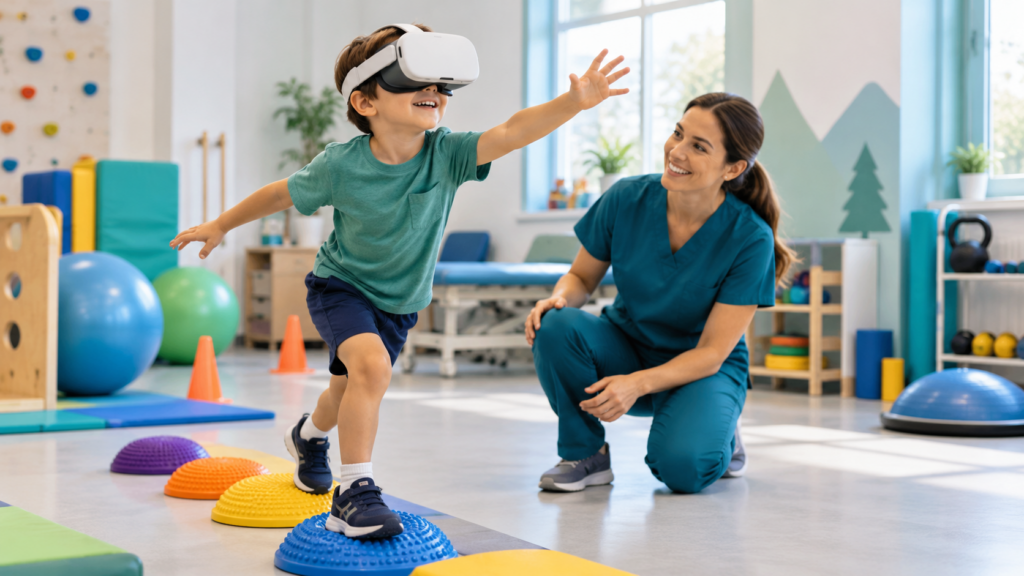
Virtual reality can make rehabilitation, education and play more engaging for children. It can create controlled environments for movement practice, visual exploration, communication and simulated activities. But “VR for children” is not one intervention: a fully immersive head-mounted display, a room-scale projection and an interactive tablet differ substantially in their demands and risks. Safe use begins with the child’s needs, an appropriate goal and informed adult supervision—not with the availability of a headset.
For clinical purposes, VR should support meaningful participation and be assessed alongside established, lower-tech options. This article offers practical safeguards for families, rehabilitation clinicians and educators. It is not a universal prescription or a substitute for a child-specific medical assessment.
What does the evidence say about safety?
A 2024 systematic review by Bexson, Oldham and Wray examined 26 studies of head-mounted VR in children younger than 14. The authors found limited evidence of mild cybersickness and described temporary double vision in some children with existing amblyopia. Critically, adverse-event definitions and measurement were inconsistent, and only two studies used validated measures. The review could not establish the long-term safety of repeated exposures. Therefore, “few reported harms” must not be interpreted as “proven risk-free.”
A 2026 systematic review of VR in pediatric intensive care included only six studies (188 children), with very low certainty across outcomes. Engagement was often high, while effects on functional recovery remained uncertain. Findings from selected medically stable children should not be generalized to every child or to prolonged recreational use.
Safety and effectiveness must be evaluated separately. A child may enjoy VR without experiencing a clinically meaningful functional improvement; equally, a useful intervention can become inappropriate if it causes discomfort or limits participation.
Not all virtual experiences are equally immersive
- Tablet or desktop activities: typically easier to stop, share with adults and adapt through standard accessibility settings.
- Interactive projection and large screens: can support body movement while preserving visual contact with the real environment, although falls and overstimulation still require consideration.
- Augmented or mixed reality: overlays virtual elements on the physical space. Visibility of hazards, tracking fidelity and distraction remain relevant.
- Head-mounted immersive VR: replaces much of the visible environment and introduces additional demands related to fit, visual comfort, spatial orientation, balance and cybersickness.
Choosing the least restrictive modality that meets the objective is often more sensible than choosing the most immersive experience.
Age limits, device fit and development
There is no single scientifically established minimum age for all VR technologies. Device manufacturers set product-specific eligibility requirements and supervision rules, which must be checked for the exact model and software. For example, Meta has parent-managed accounts for children aged 10–12, with a separate supervision framework for teenagers; this does not amount to a clinical recommendation that head-mounted VR is appropriate for every child of that age.
Head size, interpupillary adjustment, neck comfort, visual maturity, motor control, understanding of instructions and ability to communicate discomfort all affect suitability. A headset designed for adults may fit a young child poorly even if a particular software title seems age appropriate. Clinicians must also consider whether the child understands that virtual barriers are not physical barriers.
Before a session: a clinical and practical screening
- Define a goal: What real-world activity, skill or participation outcome is the session intended to support?
- Confirm device and content eligibility: Follow current manufacturer age, account and health warnings, as well as local institutional rules.
- Review relevant health factors: Ask about migraines, motion sickness, dizziness, visual difficulties, balance problems, seizure history, recent injury and other conditions that may affect safe participation. Seek medical or specialist input where indicated.
- Assess sensory and communication needs: Determine whether the child can report nausea, anxiety, pain or a desire to stop. Plan alternative signals when verbal reporting is difficult.
- Check the environment: Remove trip hazards and fragile objects, confirm suitable boundaries, supervise cables or controllers and decide whether seated activity is preferable.
- Check equipment: Verify hygiene, secure fit, alignment, audio volume, controller straps and an immediately accessible exit mechanism.
- Obtain informed agreement: Explain the activity in accessible language, obtain required guardian consent and respect the child’s assent or refusal.
During use: supervision, pacing and stopping rules
Begin with a brief, low-intensity familiarization rather than a long, visually complex game. The clinician or responsible adult should remain present and able to stop the activity immediately. Prefer stable virtual viewpoints, limited unexpected acceleration, readable targets and simple interactions when motion sensitivity is a concern. Do not force a child to complete a task after they become uncomfortable.
Observe both what the child reports and what they show: unusual stillness, withdrawal, loss of balance, pallor, distress, repeated blinking or a sudden reduction in engagement may warrant a pause. Stop the session if the child reports nausea, dizziness, headache, double vision, eye pain, substantial anxiety or any concerning symptom. Persistent or severe symptoms warrant professional assessment. There is no single evidence-based duration that guarantees safety for every child; exposure and breaks should be individualized and consistent with device guidance.
Cybersickness and sensory overload
Cybersickness can involve nausea, dizziness, headache, disorientation and discomfort. It may arise when visual motion conflicts with vestibular and bodily cues. It is not simply a matter of “getting used to it,” and continuing despite symptoms is not an appropriate default.
For a child with sensory differences, brightness, sound, unpredictable animations, crowded virtual spaces or loss of direct visual contact with caregivers may create distress. Offer adjustable sound, simpler visuals, reduced distractors and a clear way to leave the experience. A projection-based task, conventional screen or non-digital activity may better serve the same objective.
Movement safety and accessibility
Children using immersive VR may not see walls, furniture, other people or the exact position of their feet. A supervisor must maintain a safe physical environment, particularly during stepping, reaching, balance practice or upper-limb movements. Use suitable positioning and avoid tasks that encourage rapid turning, unsupported jumping or unexpected movement unless appropriately assessed and supervised.
For children with cerebral palsy, developmental coordination disorder, visual or vestibular differences, mobility impairments or motor-planning challenges, the physical demands should be individualized. Fatigue, postural compensations and accessibility of input devices matter as much as game accuracy. Do not treat headset or camera metrics as clinically validated measures unless the relevant system and use have been validated.
Hygiene, safeguarding and privacy
Clean and maintain shared equipment according to manufacturer and institutional infection-prevention guidance. Adjustable straps and face interfaces should be hygienic and compatible with the child’s needs. Use content without inappropriate communication features or unexpected social interactions. When multiplayer functions are involved, apply child-appropriate account, contact and moderation protections.
Voice, video, body-tracking information and behavioral data relating to children can be sensitive. Before recording or uploading, clarify legal basis, consent, access, retention and deletion. Avoid sending identifiable patient information to general-purpose AI services without appropriate safeguards. Families should know whether an activity runs locally or transmits information to a cloud provider.
Three practical scenarios
Child practising reaching and bilateral coordination
An occupational therapist considers a projection-based game instead of a headset because the child needs frequent postural feedback and close observation. Reach distance, target speed and sensory load are adjusted. Real-life hand use, not points alone, remains the outcome.
Autistic child preparing for a new environment
A therapist and family consider photographs and a visual sequence before a headset simulation. The child chooses whether to explore the scenario and can end it at any moment. The plan targets confidence and participation, not forced exposure to overwhelming stimuli.
Adolescent using immersive VR for a supervised rehabilitation activity
Following device guidance and clinical screening, the professional chooses a brief seated familiarization, remains present and checks comfort repeatedly. Movement demands increase only when appropriate. Success is assessed through the relevant functional goal.
These are illustrative scenarios, not standardized treatment protocols.
Checklist: safe pediatric VR implementation
- The child’s functional goal and preferences are documented.
- The specific device, software and age requirements are checked.
- Clinical suitability and relevant risks are reviewed.
- Consent, assent and accessible explanations are addressed.
- A clear physical space and adequate adult supervision are provided.
- Content intensity, input method and sensory settings are adapted.
- Discomfort and adverse effects are actively monitored.
- Stopping rules and a non-VR alternative are available.
- Data protection and equipment hygiene are addressed.
- Functional outcomes, not only game scores, are evaluated.
الأسئلة الشائعة
Is VR safe for all children?
No. Suitability depends on the individual child, technology, context, supervision and risks. Published pediatric safety data are limited, especially regarding repeated or long-term exposure.
At what age can a child use a VR headset?
Check the model’s current manufacturer age and account policies. These are product conditions, not proof of clinical suitability at that age.
How long should a child’s VR session last?
There is no universally validated safe duration for pediatric therapeutic VR. Start conservatively, follow device guidance and individualize with clinical supervision.
What symptoms mean the session should stop?
Nausea, dizziness, headache, double vision, eye pain, marked distress, loss of balance or other worrying symptoms require stopping and reassessment.
Is immersive VR better than an interactive screen?
Not automatically. The least burdensome modality capable of meeting a meaningful goal may be preferable.
Can VR replace conventional pediatric rehabilitation?
No. It may be a complementary tool within a professionally designed and reviewed plan.
خاتمة
Pediatric VR should be judged by safety, inclusion and meaningful outcomes rather than technological novelty. Respecting device age guidance, tailoring content, supervising movement, monitoring adverse effects and offering simpler alternatives are essential. The goal is not to maximize immersion: it is to help the child participate comfortably and safely in everyday life.
Explore related articles on pediatric rehabilitation technologies, technology for children with developmental disabilities و digital rehabilitation for families.
References
- Bexson C, Oldham G, Wray J. Safety of virtual reality use in children: a systematic review. European Journal of Pediatrics. 2024. PubMed.
- Choi I et al. Virtual reality for rehabilitation and engagement in pediatric intensive care: a systematic review of feasibility, safety and outcomes. Frontiers in Pediatrics. 2026. DOI.
- مطورو نظام التشغيل ميتا هورايزون. Building a safer Meta Quest for families (manufacturer guidance; verify current requirements).
- منظمة الصحة العالمية. International Classification of Functioning, Disability and Health.