

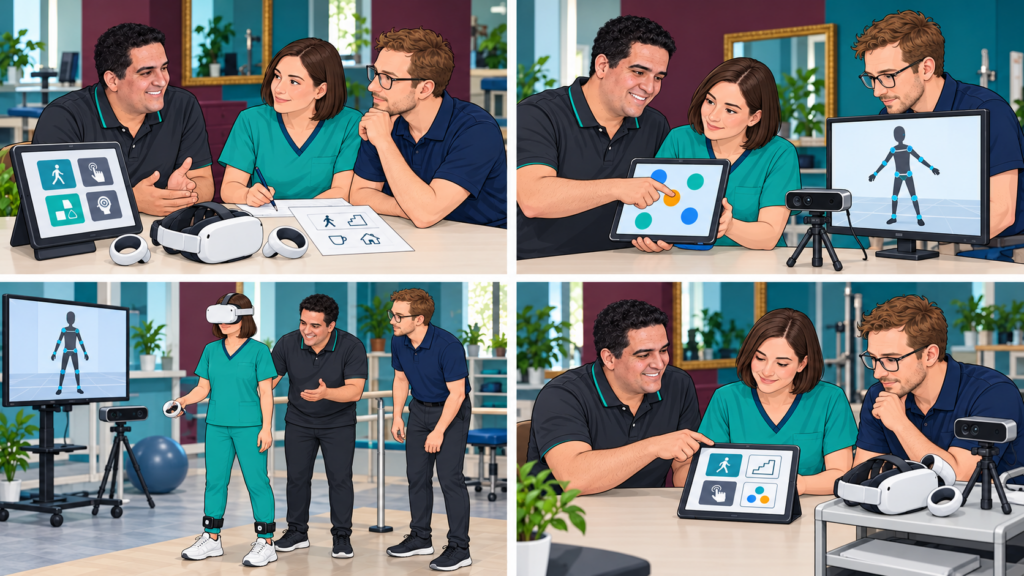
A demonstration can create interest in a tablet activity, motion capture or immersive VR. Adoption begins when the team can explain why it is using the technology, prepare it reliably, select an appropriate activity and interpret what happened. Receiving equipment is only one step.
Different hardware also means different workflows. Touch input, camera-based capture and a headset with body trackers should not be treated as interchangeable. Start with a limited, clear use case and build ownership within the team.
1. Listen to the need before presenting the equipment
Ask clinicians which activities they want to support and what currently makes them difficult. Include the people who will prepare rooms, manage accounts, process equipment and handle technical problems. Agree on essential requirements and on situations where another medium remains preferable.
WHO’s Digital Implementation Investment Guide places digital investment within needs-based implementation planning. [1] It concerns health-system planning; the practical team workflow below is an original proposal, not a WHO-certified training programme.
Define what the first phase should decide. Is the question whether staff can configure an accessible activity, whether a room works or whether a report fits documentation? Do not begin with an undefined promise to transform the whole service.
2. Train on the actual configuration
Use the devices, software version and accounts the team will operate. Distinguish available functions from optional equipment and development plans. A screenshot of a possible interface is not proof that the function is present.
For a tablet, practise instructions, touch access, positioning and pause controls. For camera-based capture, check placement, field of view, calibration where required and loss of tracking. For headset-based VR and body trackers, practise fitting, pairing, boundaries, communication and stopping according to the relevant instructions.
A whole-body avatar may include estimated segments. Its appearance does not establish clinical measurement accuracy or compatibility between every camera, headset and tracker. Teach staff what the specific system measures, estimates and cannot reliably show.
3. Practise the whole workflow before clinical use
Let staff rehearse preparation, activity, pause, review, cleaning and storage without a patient. Use fictional information. Ask each intended operator to demonstrate the relevant tasks and explain when they would stop or seek help.
Completion of a demonstration does not automatically establish competence for independent clinical use. The institution needs to decide how training, supervised practice and readiness are assessed. Clinical trials of the workflow require appropriate selection, oversight and applicable procedures.
A practical adoption plan
| Stage | Concrete output |
|---|---|
| Shared need | A defined activity, intended users and reason to consider the technology. |
| Configuration | A written list of actual hardware, software, access options and limitations. |
| Training | Staff practise setup, supervision, pause, interpretation and equipment care. |
| Readiness | The responsible team agrees what operators must demonstrate before clinical use. |
| Initial use | A limited supervised rollout with clear responsibilities and a fallback. |
| Feedback | Staff and users report access, comfort, workload and practical obstacles. |
| Review | Decide to continue, adapt, expand or stop, with reasons recorded. |
| Continuity | Arrange onboarding, support, updates and replacement cover for key staff. |
The stages can be adapted locally. They are not a validated maturity score or a promise that every organisation needs the same sequence or timetable.
4. Review what happens in real practice
Track useful implementation information: preparation time, interruptions, assistance needed, equipment availability and whether staff can complete the intended workflow. Ask users what helped or obstructed participation. These observations describe implementation; they do not by themselves prove clinical effectiveness or financial savings.
Avoid relying on one enthusiastic colleague for every session. Assign a local contact, identify backup support and make concise instructions available. Clarify who manages accounts, updates, faults and data access. A change in software or equipment may require another check or training session.
Make support lead to team ownership
External accompaniment can help clarify the use case, demonstrate the configuration and review obstacles. It should leave the team better able to make its own decisions. Define the scope of training and support in writing rather than assuming unlimited availability.
Keep a route back to simpler activities when equipment is unavailable or unsuitable. Sustainable adoption means using a tool when it serves the person’s goal, not using every device at every session.
Discuss a staged introduction with the Remotion team through the website contact page. Confirm hardware compatibility, available activities, training and support for the proposed configuration before planning deployment.
References
- WHO. Digital Implementation Investment Guide (DIIG): integrating digital interventions into health programmes. 2020. https://www.who.int/publications/i/item/9789240010567 . Checked 25 October 2026. Health-system planning reference, not certification or evidence for the specific training sequence proposed here.