

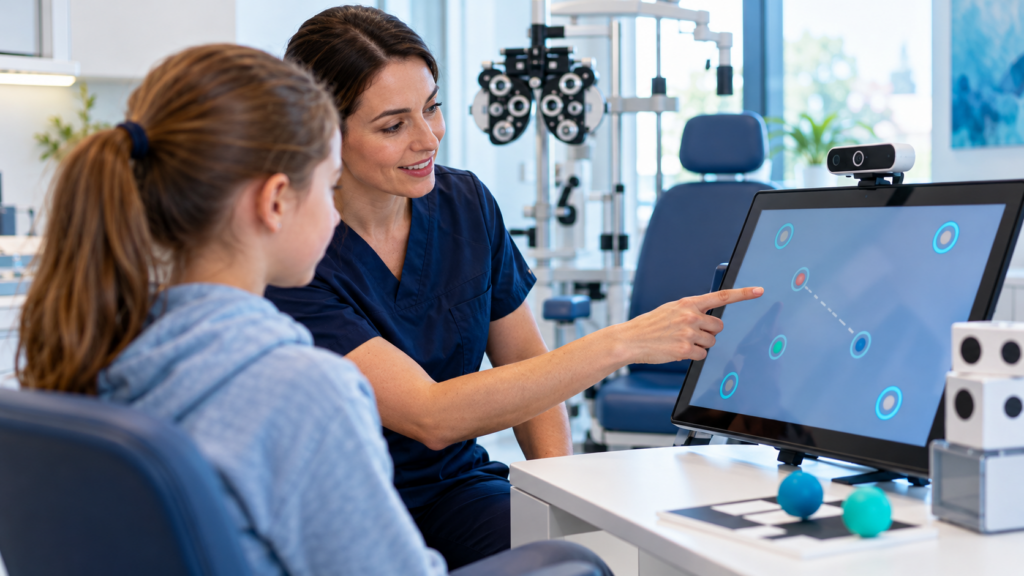
Digital technology is changing the way visual function can be assessed, trained, compensated for and integrated into everyday activity. Virtual reality, augmented reality, eye tracking, digital orthoptic exercises, artificial intelligence and multisensory interfaces are creating new possibilities across orthoptics and vision rehabilitation.
One of the most important ideas is also one of the least intuitive: Virtual reality is not necessarily a visual technology.
A person with low vision—or even someone who is blind—may still interact with an immersive three-dimensional environment when information is communicated through spatial audio, body movement, head orientation, vibration, haptic feedback and tactile interaction.
This changes the discussion. The question is no longer simply: Can the patient see the virtual environment? It becomes: How should the environment communicate with this person’s available sensory abilities?
What are orthoptics and vision rehabilitation?
Orthoptics focuses particularly on visual function and binocular vision.
Depending on the country and professional framework, orthoptists may contribute to assessment of ocular motility, strabismus management, amblyopia, binocular vision disorders, convergence, eye movement assessment, visual field-related work, neuro-ophthalmological rehabilitation and low-vision services in some healthcare systems.
Vision rehabilitation is broader.
It can involve multidisciplinary support for people whose visual impairment affects mobility, reading, self-care, education, work, communication, navigation and participation.
Teams may involve ophthalmologists, orthoptists, optometrists, occupational therapists, orientation and mobility specialists, rehabilitation physicians, assistive-technology professionals and psychologists.
Technology therefore has two different roles: trying to improve or train aspects of visual function when appropriate, and helping the person function effectively even when the visual impairment remains.
These objectives should not be confused.
From visual tests to functional vision
Traditional visual assessment may include acuity, visual fields, ocular alignment, stereopsis, convergence, eye movements and contrast sensitivity.
These measurements remain essential.
But they do not always explain how the person functions in everyday environments.
Two people with similar visual acuity may have very different difficulties with finding objects, navigating a room, crossing a street, reading, recognizing people, dealing with low contrast or coping with crowded environments.
Technology can help connect visual function with functional vision.
Eight technologies transforming orthoptics and vision rehabilitation
1. Digital orthoptic training
Digital exercises can be used in selected binocular vision rehabilitation programs.
Depending on the clinical objective, exercises may target convergence, divergence, fixation, saccades, tracking, stereopsis, visual attention and binocular coordination.
Virtual reality is particularly interesting because each eye can receive independently controlled visual information.
This allows clinicians or researchers to manipulate contrast, image position, visual disparity, target location and stimulus complexity.
2. VR-based binocular vision training
For conditions such as amblyopia and selected binocular disorders, researchers have explored dichoptic games, VR exercises, interactive visual tasks and stereoscopic stimulation.
An engaging VR game is not automatically an effective orthoptic treatment.
The intervention still needs a defined mechanism, an appropriate indication, therapeutic dosing, measurable outcomes and professional supervision when required.
3. Eye tracking
Eye tracking can measure where and how a person looks.
Potential variables include fixation duration, saccades, gaze direction, visual search, target detection and scan paths.
This may have applications in assessment, reading, visual search, neurological rehabilitation and functional vision analysis.
But eye-tracking data require careful interpretation.
A gaze point tells us where the eye was directed. It does not automatically explain what the person perceived, what they understood, why they looked there or whether the information influenced behaviour.
4. Virtual visual-field assessment
Commercial VR headsets are increasingly being studied as portable tools for visual-field testing.
Potential advantages include portability, controlled stimulus presentation, reduced dependency on large fixed equipment and remote or decentralized testing possibilities.
But digital portability should not be confused with diagnostic equivalence.
Validation against established clinical standards remains essential.
5. AR and visual enhancement for low vision
For people with residual vision, augmented or virtual displays may digitally modify visual information.
Possible techniques include magnification, contrast enhancement, edge enhancement, image repositioning, visual-field remapping and minification.
The technology therefore needs to be personalized.
Someone with central vision loss, peripheral field loss or reduced contrast sensitivity may require very different strategies.
6. Artificial intelligence and computer vision
AI and computer vision can help transform visual environmental information into more accessible formats.
Future or emerging systems may potentially detect objects, read text, recognize obstacles, describe scenes, identify signs, estimate distance and prioritize relevant environmental information.
That information can then be delivered through enlarged visual displays, speech, spatial audio, vibration or haptic cues.
The goal is not necessarily to restore normal vision. It may be to translate inaccessible visual information into an accessible sensory form.
7. Multisensory virtual reality
This is where the concept of VR becomes especially interesting for people with severe visual impairment.
A virtual environment can exist without being primarily visual.
It can be constructed through space + sound + movement + touch + vibration.
For someone who is blind, spatial audio may indicate direction, distance, movement, environmental boundaries and location of events.
Haptic information can provide another layer.
8. Digital orientation and mobility training
Spatial orientation is an important component of independence for many people with severe visual impairment.
Digital environments can potentially simulate rooms, corridors, crossings, public spaces, transport environments and buildings.
The advantage of simulation is control.
A therapist can introduce complexity progressively.
A task might begin with one sound source, one destination and no obstacles, then progress toward several sound sources, moving objects, orientation changes, competing information and navigation decisions.
The goal is not to replace real-world orientation and mobility training. It is to provide an additional safe and repeatable training environment before transfer to real-world mobility.
VR is not only for people who can see
Many people instinctively assume that a blind person cannot use VR.
That assumption comes from treating VR as a screen attached to the face.
But immersive systems are fundamentally about creating a spatial environment around the user.
Vision is one possible channel. It is not the only one.
The environment may instead communicate through 3D sound, head movement, body rotation, controller vibration, tactile feedback and physical movement.
A blind user may therefore perceive a virtual environment very differently from a sighted user—but still experience genuine spatial immersion.
Spatial audio can create a virtual map
Imagine the user standing at the centre of an immersive environment.
A sound appears two metres to the right, another behind the user and another farther ahead.
As the user turns their head, the auditory scene changes naturally.
The person can begin to construct a mental representation of the surrounding space.
Exercises may target left/right discrimination, front/back discrimination, distance estimation, orientation toward a source, tracking moving sources, route learning and environmental exploration.
The virtual environment becomes a form of auditory spatial map.
Haptic feedback and recognizing shapes
The same principle can be extended through touch and vibration.
A haptic system may communicate characteristics such as boundary, orientation, texture, movement, confirmation and proximity.
This does not mean that every vibration pattern automatically communicates a shape. The mapping has to be learned and designed carefully.
But it opens an important rehabilitation concept: information that is normally visual can sometimes be encoded into tactile or vibratory information.
A shape does not have to be seen to be understood
Consider a simple virtual task.
The system contains a circle, a square and a triangle.
Instead of displaying them visually, the user explores information through haptic feedback.
Different boundaries, vibration patterns or tactile cues could help the person differentiate the objects.
The objective may involve discrimination, spatial cognition, tactile learning and object representation.
Remotion: exploring non-visual immersive rehabilitation
This principle is particularly relevant to accessibility concepts explored at Remotion.
Remotion has worked on or explored exercise concepts involving spatial orientation, non-visual environmental exploration, spatial auditory information, vibration-based feedback and recognition or differentiation of virtual information through haptic cues.
One example involves using vibration patterns to help a user distinguish information associated with different virtual shapes.
Another involves orientation exercises where information is distributed around the user in immersive space rather than presented on a conventional screen.
These concepts should currently be presented as exploratory rehabilitation approaches, not clinically validated diagnostic instruments.
The principle is nevertheless important: the therapeutic environment should adapt to the person’s sensory profile—not require the person to adapt to a visually designed environment.
This also aligns with accessibility-focused immersive concepts previously explored by Remotion in the Qatar/Mada innovation context.
Residual vision should still be used when useful
Multisensory design does not mean ignoring remaining visual ability.
Many people described as visually impaired retain usable residual vision.
Depending on the individual, an immersive system might combine high contrast, large targets, simplified backgrounds, reduced visual clutter, magnification, audio and vibration.
The system should use the most useful combination for the individual.
Three different goals of technology in vision rehabilitation
1. Train visual function
Examples include binocular training, convergence exercises, stereopsis exercises and visual scanning.
2. Enhance remaining vision
Examples include magnification, contrast enhancement, field remapping and AR overlays.
3. Compensate through another sensory channel
Examples include spatial audio, speech, haptics and vibration.
These are not interchangeable.
The correct approach depends on diagnosis, residual function, patient goals, environment and clinical evidence.
Four realistic clinical scenarios
Binocular vision rehabilitation
A patient with an appropriate binocular vision disorder receives digital orthoptic training.
The VR environment allows controlled manipulation of the visual information presented to each eye.
The clinician monitors symptoms, performance, convergence and binocular function.
Low vision and visual enhancement
A patient with reduced central vision uses a digital visual aid.
The system may increase target size, contrast and edge visibility.
The clinician then evaluates whether this actually improves tasks such as finding objects, reading signs and navigating.
Blind user and spatial orientation
A blind user enters a fully immersive environment.
There may be no meaningful visual display at all.
Instead, navigation depends on spatial sounds, head orientation, body movement and vibration.
The person follows auditory landmarks and constructs a mental map of the environment.
This illustrates a key point: full immersion can exist without visual immersion.
Shape recognition through haptic feedback
The user explores several virtual shapes through a haptic interface or carefully designed vibration cues.
The training may progress from simple discrimination to matching, recognition and spatial arrangement.
The objective is not to recreate vision. It is to provide an alternative way of accessing spatial information.
Virtual training should transfer to real environments
This is one of the most important limitations.
A person may become very good at following a virtual sound, finding a simulated door or completing a VR route.
But the final objective is not the VR score.
It is real participation.
A good progression might be: simple simulation → immersive task → complex virtual environment → supervised real-world practice.
Success in a virtual corridor should ultimately support orientation in a physical environment.
From visual metrics to participation
| Digital metric | Possible value | Important limitation |
|---|---|---|
| Visual acuity | Detail resolution | Does not describe all visual function |
| Visual field | Spatial visual access | Functional compensation varies |
| Fixation | Eye stability | Does not prove task success |
| Saccade accuracy | Eye-movement control | Function requires context |
| VR target detection | Visual search | Simulation differs from reality |
| Localization accuracy | Spatial orientation | Real-world environments are more complex |
| Haptic recognition | Sensory discrimination | Learned task may not generalize |
| Route completion | Navigation ability | Familiar virtual routes may become easy |
| Reaction time | Processing speed | Also influenced by motor response |
| Device use | Acceptance | Use alone does not prove benefit |
The progression should remain: sensory performance → functional activity → navigation or occupation → participation.
Safety and cybersickness
Immersive systems introduce specific considerations.
Potential issues include dizziness, disorientation, nausea, visual fatigue, falls and collision with the physical environment.
These risks may be particularly important when users already have balance problems, severe visual impairment or neurological conditions.
The physical training space should therefore be controlled.
Therapist supervision may be necessary depending on the user and task.
VR can also support visual rehabilitation when vision is recoverable
Not all vision rehabilitation focuses on permanent visual loss.
VR-based visual training is also being studied in reversible or treatable visual dysfunction.
This distinction matters.
VR may therefore be used either to train visual function, enhance residual visual input or compensate through other senses.
Artificial intelligence and scene interpretation
Future vision-rehabilitation systems may combine XR with AI.
A headset or wearable camera could potentially detect doors, stairs, chairs, people, text and obstacles.
The system could then convert the information into spoken description, spatial sound or vibration.
But this introduces safety concerns.
If an AI system fails to detect an obstacle, the consequences may be serious.
Assistive AI therefore needs reliability, transparent limitations, appropriate fallback strategies and user control.
Ten questions before adopting digital vision technology
- Are we trying to restore, train, enhance or compensate for visual function?
- What usable vision does the person have?
- Which sensory channels are most effective for this person?
- Is the technology validated for the intended clinical purpose?
- Does improvement transfer to real-world activities?
- Can the user understand the feedback easily?
- Does the system increase cognitive load unnecessarily?
- Is navigation physically safe?
- Can difficulty and sensory presentation be personalized?
- Does the intervention improve meaningful independence or participation?
The future: from visual rehabilitation to adaptive multisensory rehabilitation
The future of vision rehabilitation is unlikely to depend on vision alone.
Digital environments can combine residual vision, eye tracking, spatial audio, tactile feedback, vibration, AI, movement and contextual information.
For one person, the optimal environment may be highly visual.
For another, visual information may be minimal.
What matters is not how sophisticated the display looks.
What matters is whether the person can perceive, interpret and act on the information.
At Remotion, this creates an important design principle: the patient should not have to adapt to the technology; the therapeutic environment should adapt to the patient.
An immersive rehabilitation platform can therefore potentially offer visually enhanced environments, simplified high-contrast tasks, auditory navigation, haptic cues, orientation exercises, multisensory exploration and progressively complex functional scenarios.
The most important message is simple: VR does not require full vision to create full immersion.
When sound, movement and haptics are designed as part of the environment, immersive technology can become relevant even for people with profound visual impairment.
The future is therefore not simply better virtual images.
It is better ways of communicating space, action and meaning through the sensory channels available to each person.
Frequently asked questions
Can a blind person use virtual reality?
Yes. VR does not need to depend primarily on visual output. Spatial audio, movement, vibration and haptic feedback can create an immersive spatial environment.
Can VR improve vision?
In selected conditions, VR-based training and digital visual enhancement are being investigated. The effect depends on the diagnosis, intervention and objective.
Can VR help someone with low vision navigate?
Potentially. Systems can use enlarged or enhanced visual information, spatial audio or haptics to support orientation and environmental exploration.
Can blind users recognize virtual objects?
Research has demonstrated that blind and visually impaired users can explore and recognize virtual objects when appropriate tactile or haptic interfaces are used.
Can vibration represent a shape?
Vibration or haptic information can encode spatial characteristics that users learn to interpret. The effectiveness depends strongly on interface design and training.
What is digital orthoptic therapy?
It refers to computer-based or immersive exercises targeting selected aspects of binocular vision or eye-movement function under appropriate clinical indications.
Can VR replace conventional visual-field testing?
Not automatically. VR-based perimetry is promising, but devices and protocols require appropriate clinical validation.
Should a person with blindness train in VR instead of the real world?
No. Virtual environments should complement, not replace, appropriate real-world orientation, mobility and functional training.
Selected references and further reading
- Pur DR, Lee-Wing N, Bona MD. The use of augmented reality and virtual reality for visual field expansion and visual acuity improvement in low vision rehabilitation: a systematic review. 2023.
- A systematic review of extended reality for understanding and augmenting vision loss. 2023.
- Vera J et al. Evaluating the Clinical Validity of Commercially Available Virtual Reality Headsets for Visual Field Testing: A Systematic Review. 2025.
- Virtual Reality Orthoptic Interventions for Binocular Vision Disorders: A Systematic Review and Meta-Analysis. 2026.
- Emerging therapies for improving stereoacuity in amblyopia: a systematic review and meta-analysis. 2025.
- Chen D et al. Visually Impaired People Recognize Virtual Objects Through 3D Reconstructed Shapes. 2025.
- Blind people can actively manipulate virtual objects with a novel tactile device. 2023.
- Virtual Haptic Perception as an Educational Assistive Technology: A Case Study in Inclusive Education.
- Applications of VR technologies in patients with reversible visual dysfunction: a scoping review. 2026.