

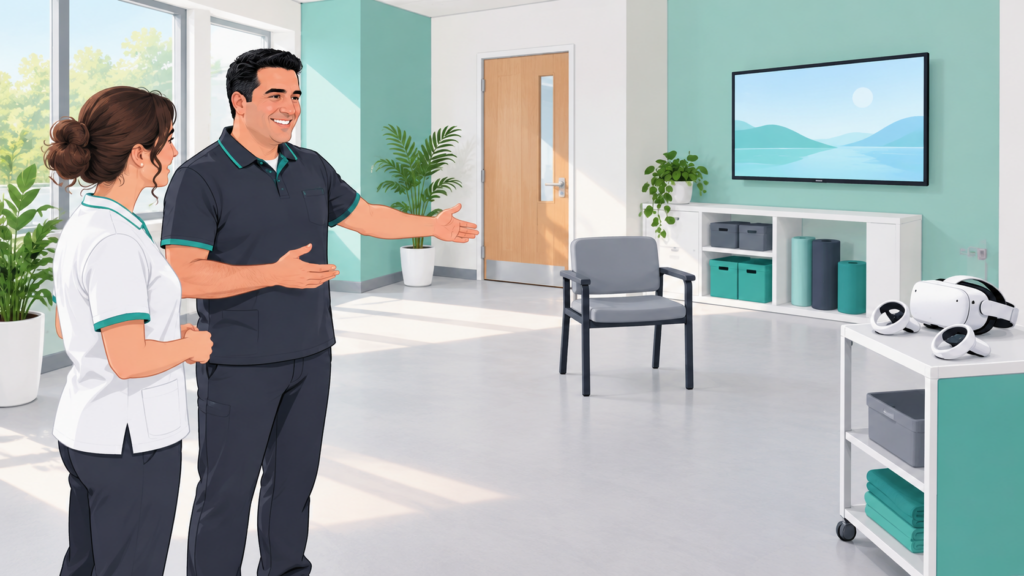
A useful immersive rehabilitation space is more than an empty floor and a headset. The person needs to enter, understand the activity, settle into an appropriate position, communicate with the therapist and leave comfortably. Equipment must also be prepared, checked, cleaned and stored.
Start by describing the sessions the room needs to support. A supervised seated activity and a standing task have different requirements. The room should serve the intended activity and the people using it.
Define the use before moving the furniture
Identify who will use the space, which activities are planned and what assistance may be needed. Consider mobility aids, seating, communication preferences and whether the therapist needs close access to the person throughout the activity.
There is no room size in this article that guarantees suitability. Use the current instructions for the exact headset, software and accessories, then assess the proposed arrangement in its clinical context. A manufacturer’s minimum play area is not, by itself, a complete rehabilitation-room specification.
Keep movement and circulation clear
Map the actual movement involved: reaching, turning, using controllers or changing position. Include space for the therapist and any assessed support, rather than considering only the headset wearer’s starting point.
Keep entry routes, access to seating and the way out clear. Place storage, chargers and unused equipment outside the activity area. Manage cables so they do not cross a route used by the person or therapist. Check the room again when furniture or equipment changes.
A boundary display is an additional device feature, not a substitute for supervision or a clear physical environment. PICO’s safety information should be consulted for the relevant device; this article does not establish compatibility or a safe operating area for a particular configuration. [1]
Plan what the therapist needs to see and hear
Position any external display so the therapist can consult it without losing sight of the person. Confirm what the display actually shows and what it omits. A virtual view does not reveal all changes in posture, effort or comfort.
Agree on how to pause or stop, including when the person is wearing a headset. Check communication in the actual room with the intended audio settings. If communication or supervision is inadequate, change the arrangement or activity before starting.
Lighting, reflections, noise and interruptions also belong in the trial. Confirm tracking under the intended conditions and follow device instructions, including restrictions relating to light exposure. Do not assume that a bright room, a mirror or a new sensor will improve tracking.
Organise preparation, cleaning and storage
Assign responsibility for checking equipment, battery level, accounts and the selected activity. Plan where clean equipment is placed and how used equipment is handled between sessions. Follow manufacturer-compatible cleaning methods and the institution’s infection-prevention procedures; do not select a disinfectant merely because it is convenient.
Allow time for these tasks in the schedule. A session slot that only counts time inside the headset understates the work required. Store equipment securely, protect screens from unintended viewing and establish who manages updates or a device taken out of service.
Walk through a session before opening the room
This original checklist supports local planning. It is not a building-compliance assessment or a validated clinical protocol.
| Stage | What to check |
|---|---|
| Arrival | Clear route, appropriate seating and space for the person’s usual aids. |
| Preparation | Correct activity, equipment checks and agreed communication method. |
| Positioning | Assessed support and access for both the person and therapist. |
| Activity | Required movement fits the cleared area; supervision remains possible. |
| Pause or stop | A usable stop method and an appropriate transition out of the headset. |
| Departure | Help and route to leave the activity without crossing equipment. |
| Between sessions | Compatible cleaning, checks, charging arrangements and secure storage. |
| Service interruption | A clear response to tracking loss, breakdown or an unavailable room. |
First test the workflow without a patient. Any subsequent clinical trial needs appropriate selection, supervision and institutional procedures. Record practical observations such as setup time, interruptions and assistance required. These describe feasibility, not treatment effectiveness.
Keep an alternative available
The room should not force every session into immersive VR. A screen-based activity, a seated option or real objects may better fit the person’s goal on a particular day. Equipment availability is not a clinical indication.
Review the arrangement after initial use and whenever the activity, hardware or intended users change. A room works well when the whole session is manageable, including the parts before and after the digital task.
Discuss your intended sessions and space with the Remotion team through the website contact page. Confirm the requirements of the proposed configuration before purchasing equipment or altering the room.
References
- PICO. Safety Center. https://www.picoxr.com/global/safety-center — checked 25 October 2026. Consult the instructions for the exact device; no universal dimensions or clinical suitability claim are drawn from this source.