

A person after stroke may overlook objects or actions in part of their surroundings. Before selecting a virtual activity, the team needs to understand the difficulty and its effect on daily tasks. Missing an item on a screen is not enough to diagnose spatial neglect.
VR can present objects across a virtual scene and record responses during a structured activity. Its usefulness depends on clinical assessment, the task and the person’s ability to access the setup. A detailed digital display does not make an activity a validated test or treatment.
Understand the problem before choosing the scene
Spatial neglect concerns attention and awareness of space; it should not be treated as another name for blindness or a visual-field deficit. Different difficulties can coexist after stroke and need appropriate assessment. Also consider movement, communication and understanding when interpreting a missed response.
NICE recommends linking interventions for visual inattention with relevant functional tasks. [1] For a rehabilitation team, this means identifying what matters in daily activity rather than treating the number of virtual targets as the final goal.
Ask where the difficulty appears: during an activity involving objects, while navigating an environment or in another relevant situation. Use appropriate clinical assessments and observations. A headset image or avatar position cannot replace this reasoning.
Separate access, exploration and selection
The person may need to perceive a target, direct attention towards it, move and activate a control. These are different parts of the task. First establish how they can respond without unnecessary motor or interface barriers.
In an immersive setup, head orientation is not automatically eye gaze. Looking towards one side does not prove that an object was noticed, identified or used. Confirm what the system actually records and avoid naming a metric more broadly than its measurement supports.
Configure the activity deliberately
If available, target position, scene complexity, cueing and time can be adjusted. State why a particular cue is used and whether it changes the demand. More help may support participation while also making session scores less directly comparable.
Do not introduce a background shift, prism-like transformation or other specialised manipulation merely because a study used it. Such approaches have specific methods and requirements. A general object-search game is not the same intervention.
Read the evidence with its limits
A randomised trial with 42 participants examined VR stimulus-response tasks, including a background-shift condition. Some reaction-time outcomes improved, but the study did not find significant group-by-time effects on the Catherine Bergego Scale or its conventional behavioural test outcome. [2]
This illustrates why improvement within a task should not automatically be described as improved everyday function. The finding does not establish an effect for a different application or for Remotion. Check immersion level, population, protocol, comparator and outcomes before transferring a claim.
Example: exploring objects in a virtual scene
This original planning example is for an adult after stroke assessed as suitable for supervised seated VR. It is not the research intervention or a validated neglect protocol.
| Element | Illustrative approach |
|---|---|
| Objective | Support purposeful exploration related to a meaningful object-based activity. |
| Context | Individual supervised session following clinical assessment. |
| Task | Find and identify selected virtual objects with an accessible response. |
| Configuration | Where supported, adjust positions, clutter, cues, input and timing. |
| Observations | Objects identified, omissions, response conditions, prompts, actual help and comfort. |
| Easier version | Reduce clutter or response demands and use agreed cues. |
| Progression | Change one relevant demand, documenting any cue changes. |
| Cautions | Maintain assessed support; stop for distress, concerning symptoms or unsafe control. |
| Documentation | Record target layout, instructions, input, cues, assistance and interpretation limits. |
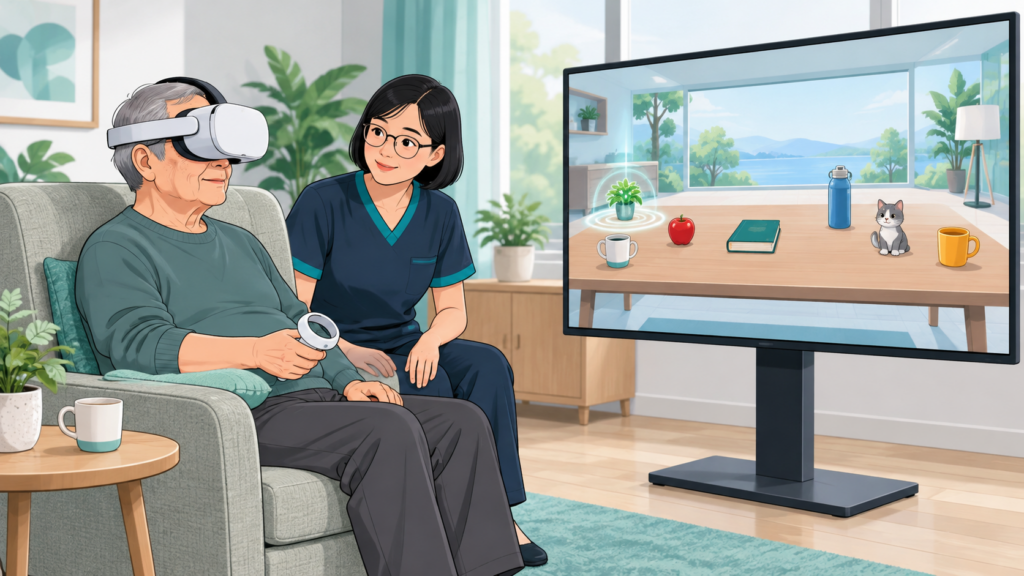
The image and table are conceptual. They do not establish that any particular configuration offers these adjustments or that every user is suitable for a headset.
Keep the physical environment safe
VR obscures part or all of the real environment. Maintain appropriate seating and therapist access, clear the movement area and agree on a stop method. Do not ask the person to reach towards untracked physical objects while their view is obscured.
After an appropriate transition out of VR, review the activity and, where suitable, observe a related real task. Arrange the environment and assistance according to the assessment rather than assuming success in the headset transfers automatically.
Follow meaningful outcomes
Document software events separately from clinical measures and everyday observations. If the question is whether participation improved, examine participation with an appropriate method and follow-up. An omission count or reaction time alone cannot answer every clinical question.
Discuss your intended tasks with the Remotion team through the website contact page. Confirm the actual features and intended use; this article does not establish product-specific neglect treatment or diagnostic accuracy.
References
- NICE. Stroke rehabilitation in adults. NG236, visual inattention recommendations. https://www.nice.org.uk/guidance/ng236/chapter/Recommendations
- Motomura K, Amimoto K, Numao T, Kaneko F. Effects of a Stimulus Response Task Using Virtual Reality on Unilateral Spatial Neglect: A Randomized Controlled Trial. Arch Phys Med Rehabil. 2024;105(8):1449–1457. DOI 10.1016/j.apmr.2024.05.009. https://pubmed.ncbi.nlm.nih.gov/38750715/